


Choosing an automatic colony counter involves three linked questions: Can it handle your actual plates? How much review do those plates need? Can the records support your reporting workflow? Evaluate them together using the hardware and software configuration proposed for your laboratory.
Follow the plate from image to reviewed result
An image-based counting workflow includes placing the plate, acquiring an image, detecting targets, checking markers and saving the result. Review tools such as region selection, region exclusion, individual marker addition or deletion, and analysis of multiple regions are relevant when assessing an ICON configuration. Ask to see the required tools in the proposed software version and follow an edited result through to its saved record.
Small colonies, touching colonies, reflections near the plate edge, bubbles and food particles deserve particular attention. Keep the original image available beside the marked image. A plausible total can conceal an omitted colony or a target that has been split more than once.
The same review applies to AI-assisted detection. Its usefulness has to be assessed for the sample, medium, image and software version in use. A single accuracy figure cannot describe every plate that a laboratory processes.
Check compatibility using your actual consumables
A nominal diameter or well count is only the starting point. Plate height, material, base geometry, lid condition and the target being measured can affect the assessment. Use these details to define a sample demonstration and confirm the configuration in writing.
| Evaluation item | Details to put in the request | What to verify |
|---|---|---|
| Round dishes | Relevant diameters, including 55, 60, 90, 120 or 150 mm where used | Exact manufacturer and design, height, material, lid condition and any required holder |
| Multiwell plates | The required 96-, 48-, 24-, 12- or 6-well format | External dimensions, well-bottom structure, target type and supported analysis mode |
| Counting application | Spiral-plated or pour plates, membrane filters, contact plates or glove-print plates | Applicable method, defined counting region and reporting rules |
| Lighting | Illumination needed for the actual background | Available top/bottom lighting, supported combinations, optional modules and sample limitations |
| Manual review | Adding or removing markers and selecting or excluding regions | How changes, user actions and the final result are retained |
These are compatibility questions, not a statement that every listed format or method is supported by every ICON. For a paper-based test format, provide the exact consumable and method name rather than relying on a broad label. Confirm any ultraviolet or fluorescence-related option separately, including its intended use and limitations.

Evaluate the record, as well as the image
Start with a real export from the proposed software. Check whether the sample identifier, original image, marked image, automatic count, reviewed count and calculation inputs remain connected. A report displaying the final number alone may not answer a later question about how that number was obtained.
Include required formats in the acceptance discussion: PDF, Excel or Word for results, and JPG, PNG or BMP for images, as applicable to your workflow. Verify the actual export rather than assuming a named format contains every field you need. Customized reports, user permissions, audit functions and data interfaces each need their own configuration and acceptance criteria.
If information must pass to a LIMS, define the receiving system, exchanged fields, unique identifiers, error handling and responsibility for testing. Inspect a transfer and its received record. An interface description does not establish that the two systems have been tested together.
Compare complete tasks with representative plates
Use both routine plates and samples your laboratory finds difficult to interpret. Keep a traceable link between each plate and the following observations.
| Record | Why it matters |
|---|---|
| Initial automatic count | Shows the starting output before review |
| Independent manual reference | Provides a documented comparison under the laboratory's reading rules |
| Changes and their reasons | Identifies where the image or detection required intervention |
| Review time | Shows the effort needed to reach a usable result |
| Report preparation time | Includes the work required to deliver the record |
| Loading, identity checks and interruptions | Connects batch estimates to the complete task |
Record the plate type, medium, sample background and software settings with the comparison. Keep difficult and unresolved examples in the assessment rather than selecting only the clearest images. See manual versus automated colony counting for a fuller comparison framework.
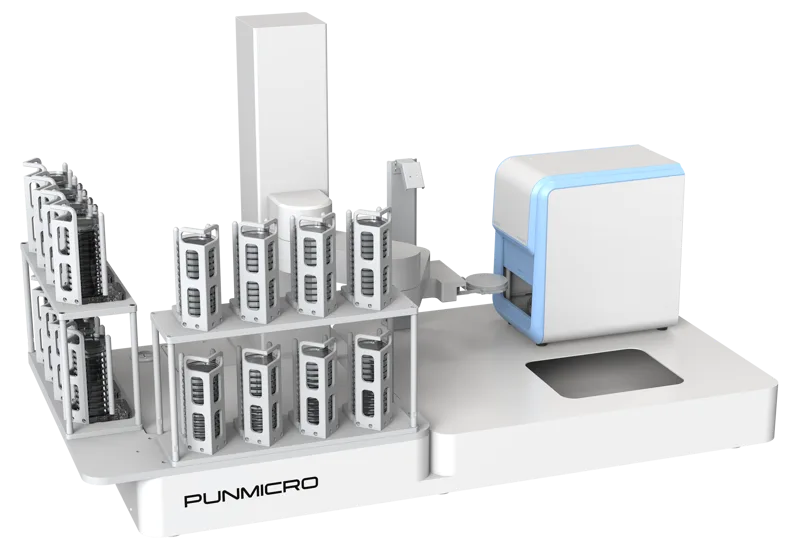
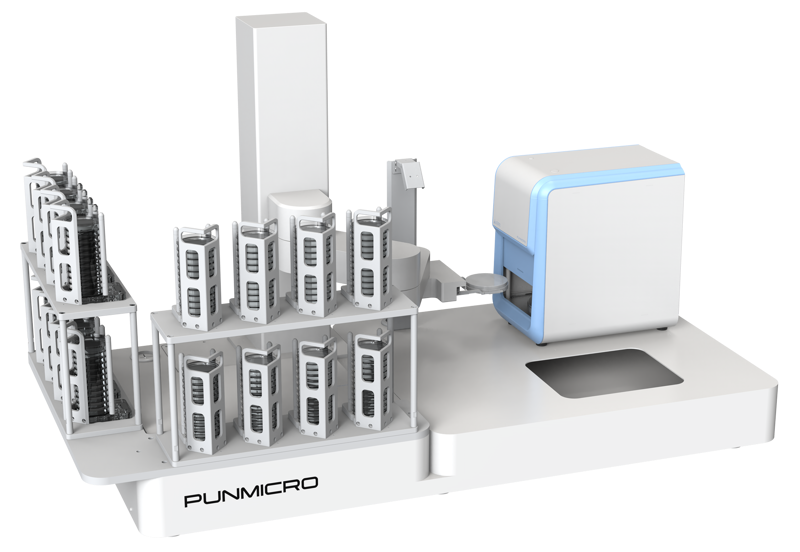
For automated plate exchange and batch handling, assess the ICONSTATION counting workstation as a separate configuration and workflow. Its handling capabilities should not be assumed to be included with every ICON counter.
Prepare a focused configuration discussion
Bring your dish specifications, media, typical colony images, routine workload, data-retention requirements and target software environment. A useful discussion ends with a defined configuration, a representative sample assessment and a clear description of the records it will produce.
Consult the product document library for available materials and technical support for model-specific questions. For interpretation and review steps, see how to count colonies on agar plates.
Frequently asked questions
Does the plate diameter alone establish compatibility?
No. Confirm the actual dish design, height, material, lid condition and fixture, together with the sample and analysis mode. Nominally similar consumables still need a configuration-specific assessment.
Will an automatic count remove the need for manual review?
Review remains part of the workflow for unclear targets, difficult backgrounds and results outside the validated application. Evaluate its frequency and effort with representative plates.
How should a laboratory assess reporting and LIMS needs?
Inspect actual exports and a defined transfer test. Check identifiers, images, modifications, calculation inputs and failure handling, then agree acceptance conditions for the proposed configuration.